


Sheetify CRM
Sheetify Bookkeeping | 10-in-1 Google Sheets Bookkeeping Toolkit
Sheetify Bookkeeping | 10-in-1 Google Sheets Bookkeeping Toolkit
Couldn't load pickup availability
Everything you need to manage your Business Finances, inside Google Sheets.
Stop overpaying for Accounting Software. The only Google Sheets Bookkeeping template your Small Business needs — Just $57, forever.
If you're a small business owner spending hundreds of dollars a year on accounting software that does far more than you need, Sheetify Bookkeeping is the bookkeeping spreadsheet built for you. Designed entirely in Google Sheets with Apps Script, it gives you a complete, professional bookkeeping system — without the monthly fees, complexity, or bloat.
Why Small Businesses are switching to Sheetify's Google Sheets Bookkeeping template.
The math on traditional accounting software doesn't add up for small businesses:
- QuickBooks from $30/month — $360/year.
- Xero starts from $29/month — $348/year.
- FreshBooks from $21/month — $252/year.
That's up to $360 every year just to track your finances — using software built for enterprises, not small businesses. Sheetify Bookkeeping is a one-time payment of $57 with lifetime access and lifetime updates. No subscriptions, no per-user costs, no renewal reminders. Ever.
A Bookkeeping Spreadsheet that actually does everything.
Most basic bookkeeping spreadsheets fall short the moment your business grows. Sheetify is different. This 10-in-1 Google Sheets bookkeeping template is packed with everything a small business actually needs:
- Income & Expense Tracking — log every transaction and reconsile with ease.
- Built-in Invoice & Quote Generator — Generate and send quotes/invoices in just a few clicks.
- Free AI Receipt scanner app: Get Receipts2sheets app and better manage receipts and expenses. Integrates with Sheetify Bookkeeping.
- Automatic Tax Calculations — stay compliant without the manual headache.
- 8 Visual Financial Dashboards — get a real-time picture of your business finances.
- Balance Sheet — snapshot of your financial position.
- Profit & Loss Statement — stay on top of cash flow with this P&L generator.
- Accounting task Tracker — keep your team aligned on financial to-dos.
- Automated Reporting — generate reports and send via email with a single click.
- And many other tools/features — new tools, integrations are added regularly, choose to grab these updates or not.
Built for Google Sheets. Built for Small Business.
Unlike expensive accounting platforms, this bookkeeping spreadsheet works inside a tool you already use every day. Sheetify Bookkeeping integrates seamlessly with your favourite Google Apps, takes minutes to set up, and is built to grow alongside your business — without ever charging you again.
✅ One-time payment of $57.
✅ Lifetime access & lifetime updates.
✅ No subscriptions, per-user costs, or renewal fees.
✅ Set up in minutes inside Google Sheets.
✅ Built for small and micro business owners.
✅ Integrated with your favorite Google Apps.
✅ Own all your data. 100% user ownership.
✅ Join 2,000+ small business owners already using our Sheetify toolkits.
Also need to manage your customers and leads?
Pair your Google Sheets bookkeeping template with our Sheetify CRM — a dedicated Google Sheets CRM template that works seamlessly alongside Sheetify Bookkeeping. Track every contact, lead, and customer interaction all within the same Google Sheets ecosystem.
Share


20% OFF DOUBLE COMBO
On Sheetify Bookkeeping + CRM (automatic discount after adding both products to your cart)
Just getting started with my small business and so happy i found Sheetify. It makes it so easy to document everything I will need at tax time. Hard to believe something so low cost has so much value.
Hi Stephen, we're thrilled to hear that you're getting started with Sheetify Bookkeeping! Thank you for sharing. Wishing you great success with your small business!
The Verdict: For small business owners, freelancers, and solopreneurs who dread monthly subscriptions and complex accounting software, Sheetify Bookkeeping is a game-changer. It transforms a familiar tool (Google Sheets) into a powerful, automated financial command center for a single one-time price.
If you are tired of paying $30–$80/month for QuickBooks or Xero just to do basic tracking, this is likely the perfect replacement.
Why It’s Great: The Highlights
1. No Monthly Subscriptions (Huge Win)
The Benefit: Unlike almost every other accounting software, you pay once (around $47–$67) and own it forever.
Great For: Keeping overhead low. You get lifetime updates without bleeding cash every month.
2. Seamless Google Integration
The Benefit: It lives in your Google Drive. It uses Google Forms to input data easily and Google Docs to generate beautiful PDF invoices automatically.
Great For: Anyone already in the Google ecosystem. It feels native and intuitive, not like learning a whole new OS.
3. "10-in-1" Feature Set It’s not just a spreadsheet; it’s a programmed application. The "10-in-1" typically covers:
Income & Expense Tracking: Automated calculations for net income.
Invoice Generator: Create professional invoices in one click.
Tax Calculator: Estimates sales tax/VAT automatically.
Visual Dashboards: 7 different views (Monthly, Annual, 5-Year Forecast, etc.) that look like high-end software analytics.
Task Manager: Syncs with Google Tasks to remind you of bill payments or follow-ups.
4. Automation for Non-Accountants
The Benefit: It uses scripts to automate the boring stuff. One-click "Add New Record" buttons save you from endless scrolling.
Great For: People who hate spreadsheets. You don't need to know formulas; you just click buttons and fill in boxes.
Who Is It For?
Perfect For: Freelancers, micro-agencies, coaches, consultants, and side-hustlers.
Not For: Large e-commerce operations with thousands of SKUs or businesses with complex payroll needs for 50+ employees.
Summary Score
Value: 10/10 (One-time fee is unbeatable)
Ease of Use: 9/10 (If you know Google Sheets, you know this)
Features: 8/10 (Robust for small biz, but lacks enterprise features)
Bottom Line: It is likely the best "bang for your buck" financial tool on the market right now for anyone making under $1M/year who wants to own their data.
Wow! Thank you for leaving such a comprehensive review. We appreciate this a bunch! Amazing breakdown. Your review will help many buyers identify if Sheetify Bookkeeping is for them. Thank you - Stewart Gauld
Amazing worksheet for my small business. I am still learning to use all the features but the training videos are so helpful and the worksheet is user friendly.
Hey! We're thrilled to hear you're enjoying the worksheet and finding the training videos helpful. Feel free to reach out if you have any questions as you explore all the features. Thanks for the wonderful review!
Very easy to setup and use, and best of all it's yours with no monthly subscription nonsense. Highly recommend!!
Hi Tyler, thank you so much for your kind words! We're thrilled to hear you find the Toolkit easy to use and appreciate the no monthly subscription. Thanks!
It's a great small template with complete reports and easy to navigate data entering, accounting system. It does not replace a professional accounting softwares,but it's an easy to use sheet for small businesses.
Thank you Barish for the review.
Sheetify Bookkeeping in 3 minutes (Overview👇)
-
🛠️ Sheetify Bookkeeping Features and Tools 🛠️
Take control of your business finances with everything included in a single one-time purchase. Here is what you get:
-
Dashboards (Reporting)
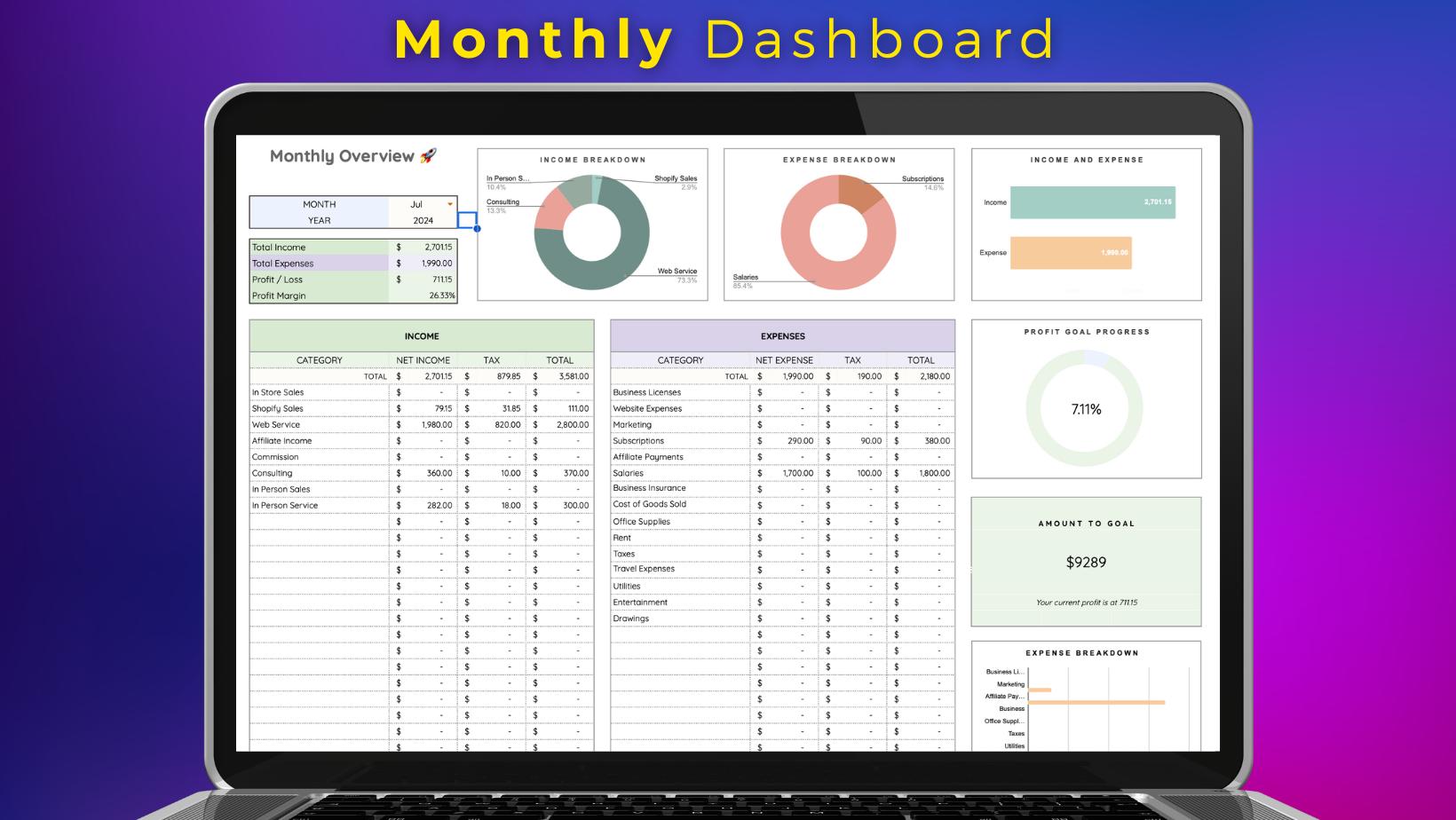
- ✅ Monthly Dashboard: Analyze your income, expenses, and net profit for any given month at a glance, with all figures updated automatically as you add new transactions.
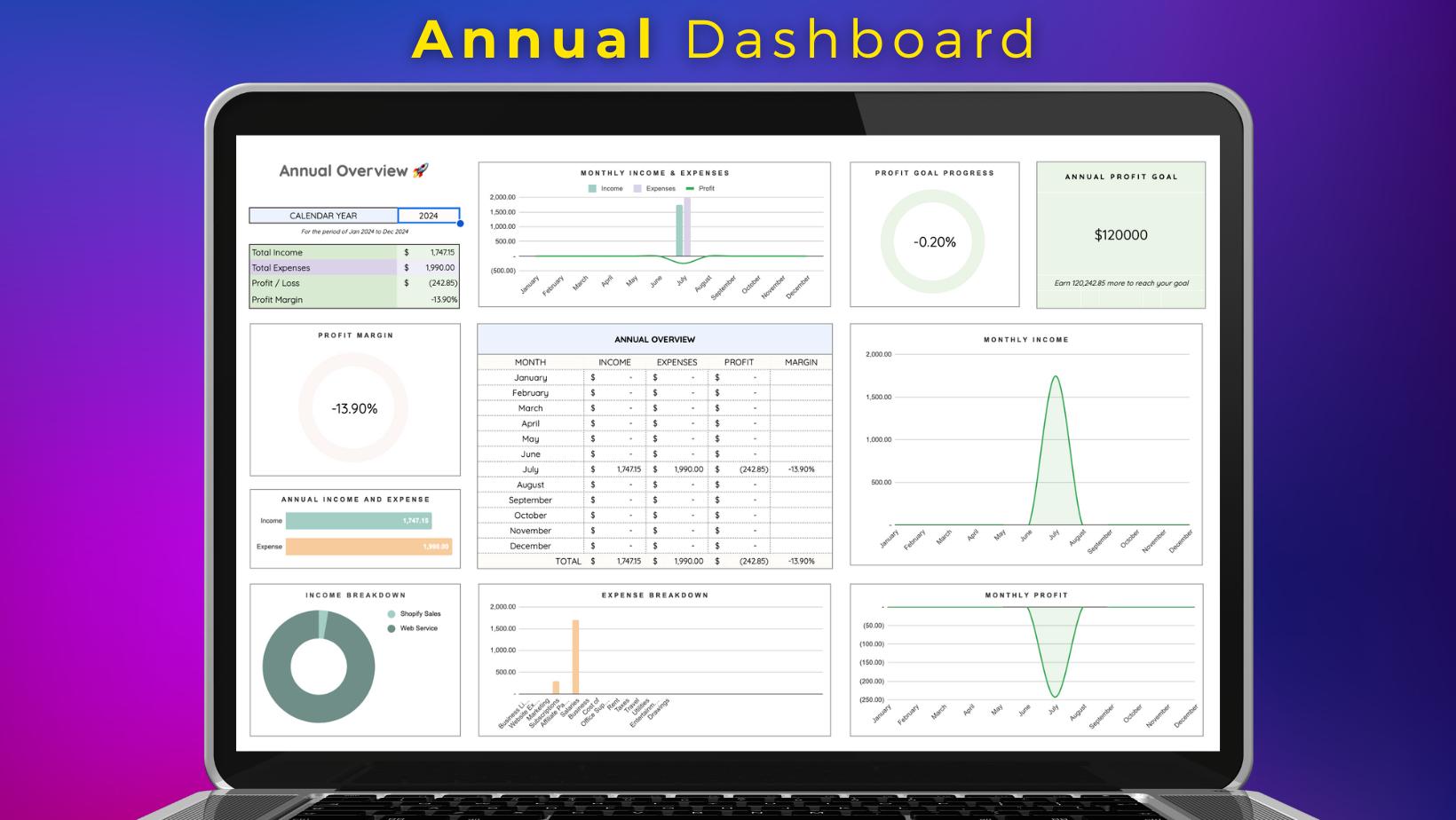
- ✅ Annual Dashboard: Review your full-year financial performance in one place, so you always know exactly where your business stands at year's end.
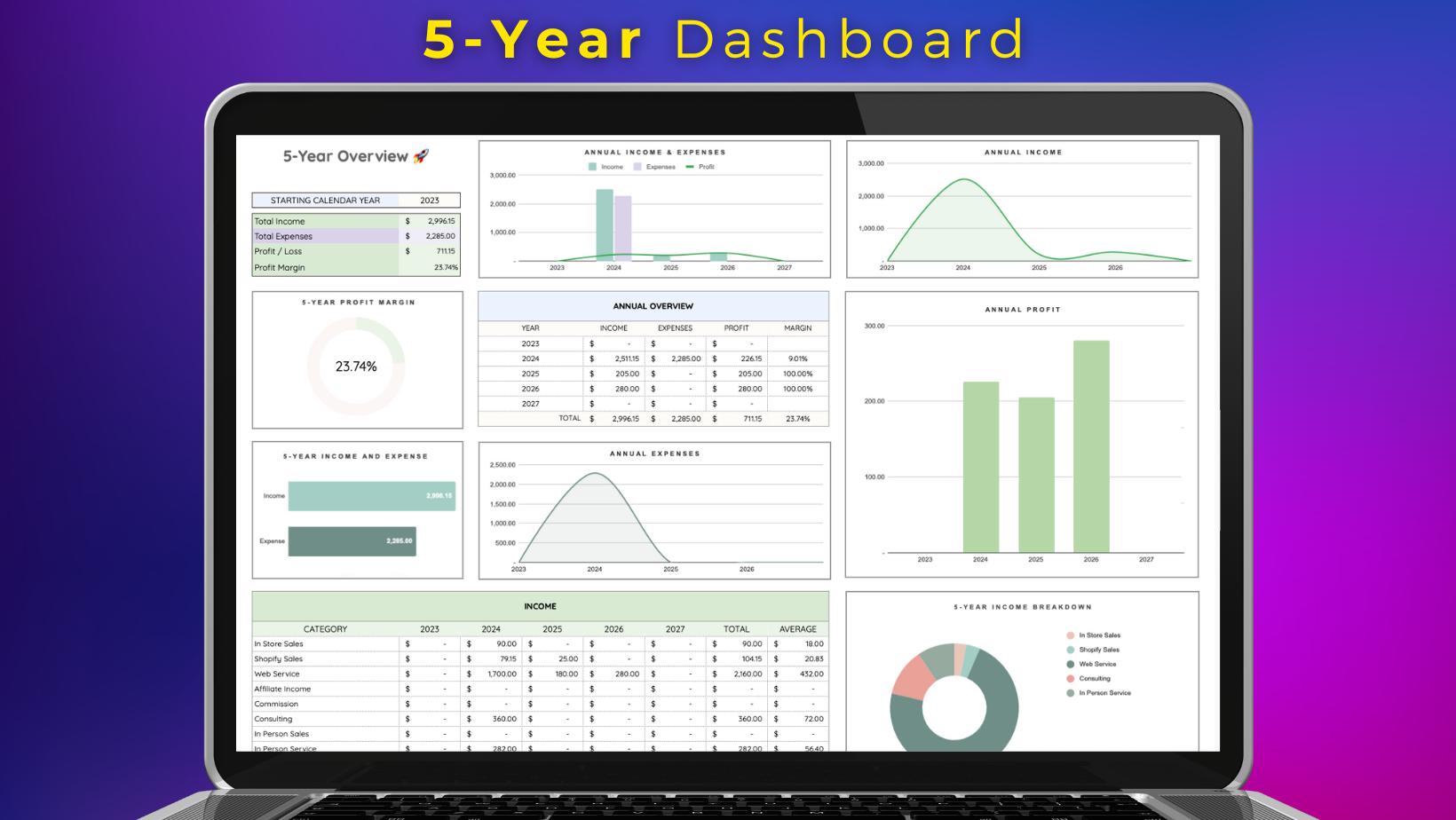
- ✅ 5-Year Dashboard: Track your business growth and financial trends across five years, giving you the long-term visibility to plan and make better decisions.
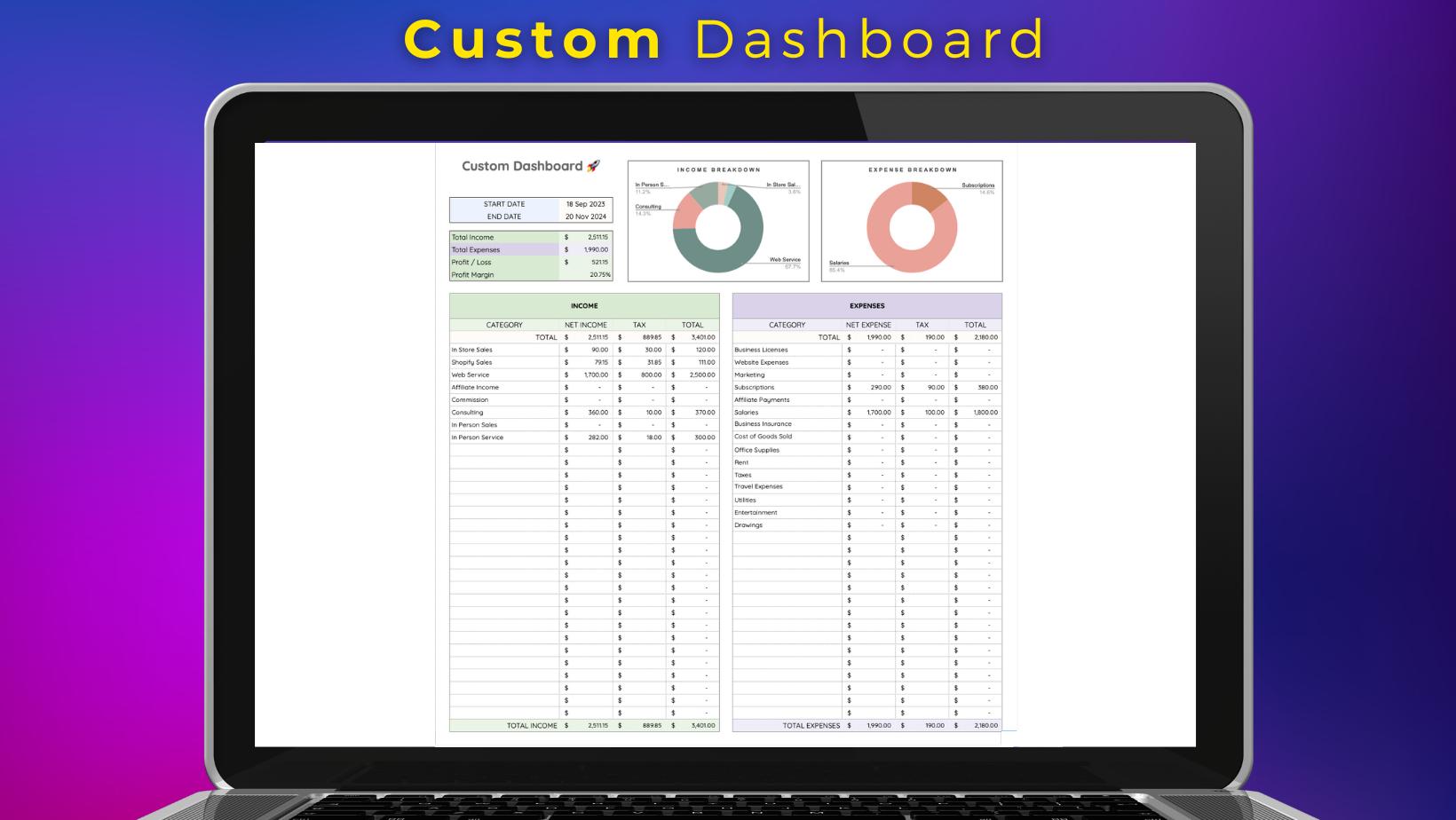
- ✅ Custom Dashboard: Measure your financial performance across any custom date range, so your reporting works around your business rather than a fixed calendar.
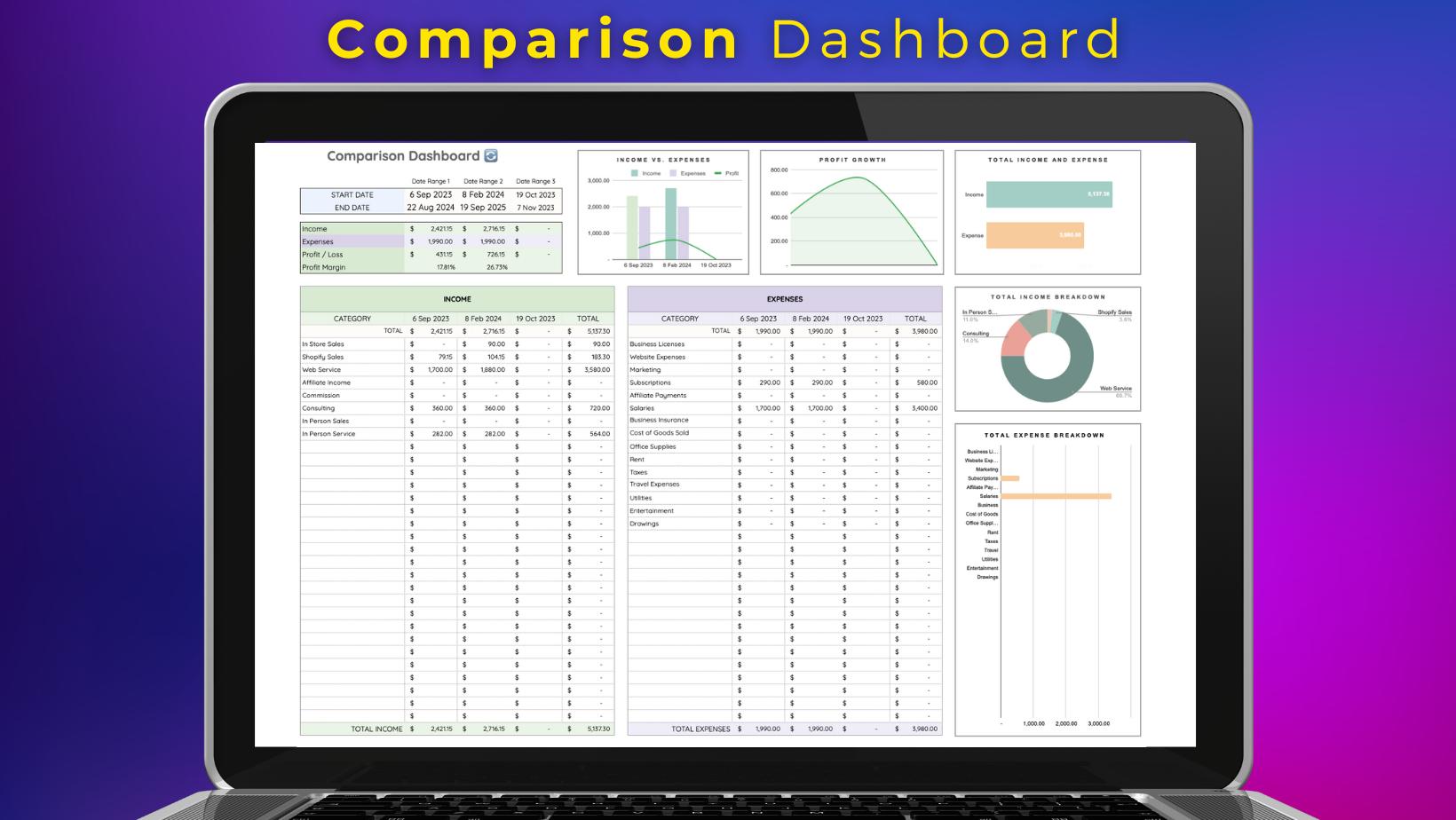
- ✅ Comparison Dashboard: Compare your business performance between two time periods to identify growth, spot patterns, and understand what is driving change.
- ✅ Sales Tax Dashboard: Monitor your business tax obligations and fees in one dedicated view, so there are no surprises at the end of the financial year.
- ✅ Balance Sheet: Get a clear snapshot of your business assets, liabilities, and equity at any point in time.
- ✅ Profit and Loss Statement: See exactly how much your business earned and spent over any period, formatted as a professional P&L ready to share with your accountant.
-
Tools
- ✅ Manage Income: Log and categorize every income transaction in one place, with automatic totals and tax calculations updated in real time.
- ✅ Manage Expenses: Record and track every business expense with full categorization, so you always know where your money is going.
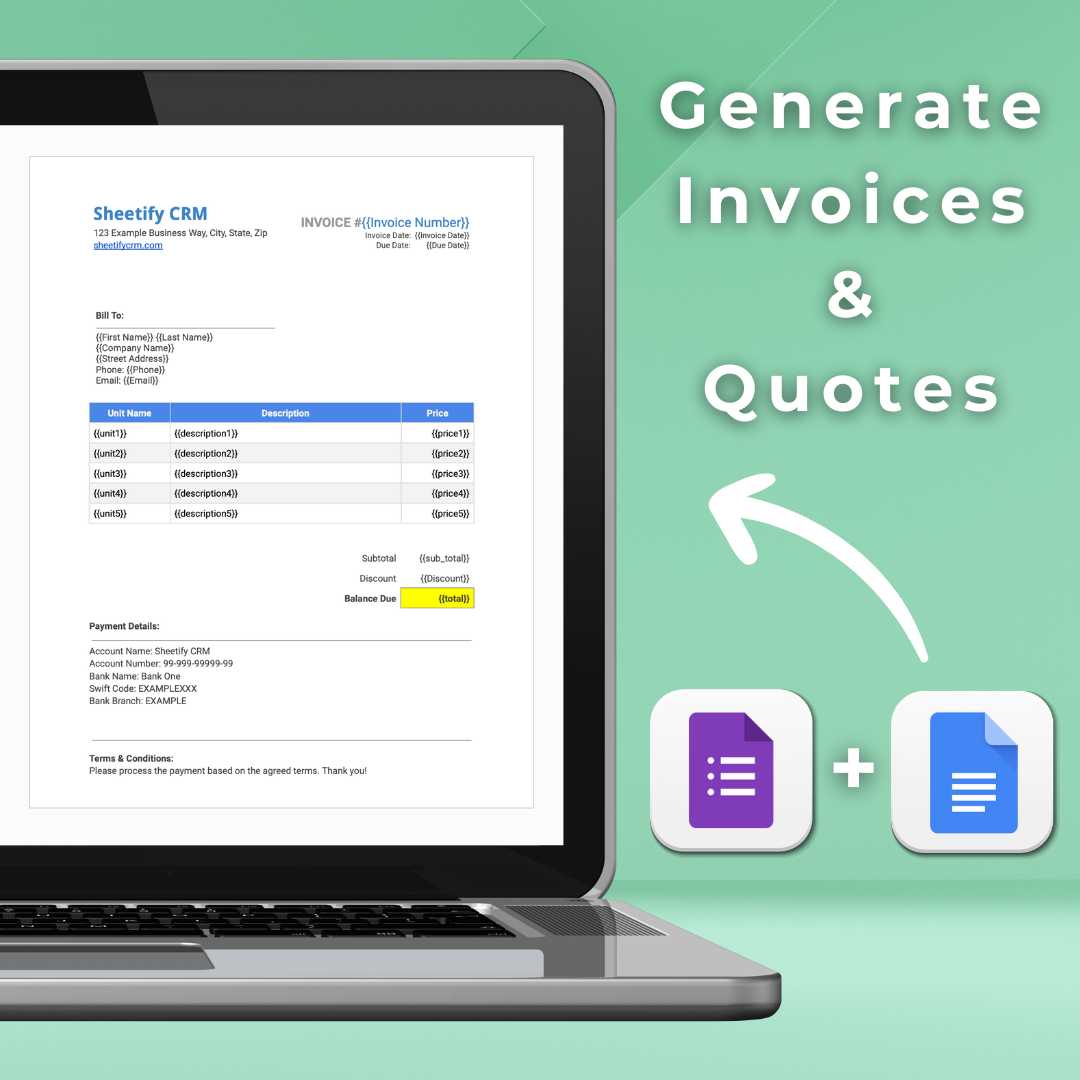
- ✅ Quote Generator: Create and send professional quotes to clients in a few clicks, directly from inside your Google Sheets bookkeeping template.
- ✅ Invoice Generator: Generate professional PDF invoices via Google Docs and send them directly to clients by email, without leaving your spreadsheet.
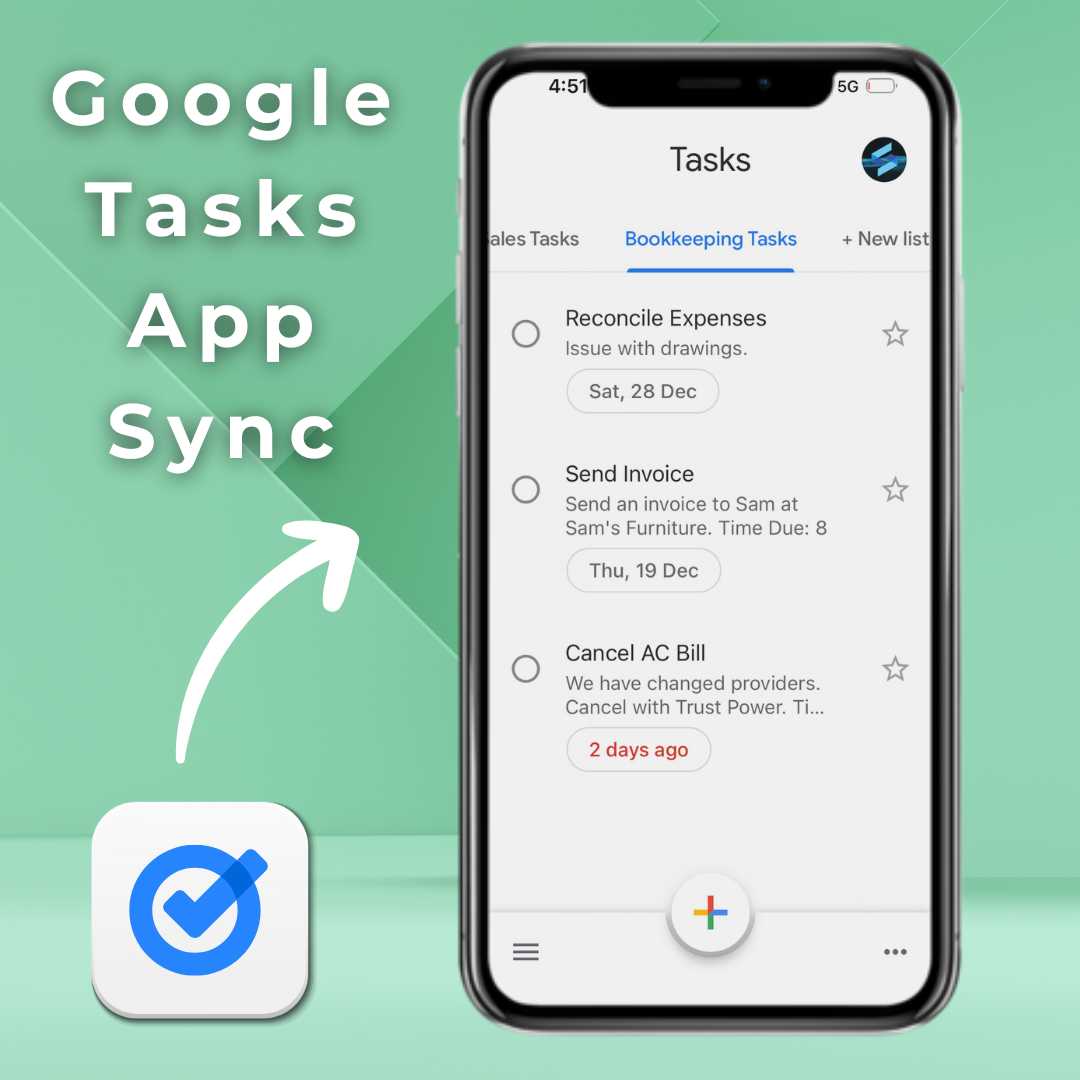
- ✅ Manage Tasks: Stay on top of bookkeeping tasks and bill payments inside Sheetify or via the Google Tasks app on desktop and mobile.
- ✅ Add New Records: Add new income or expense entries instantly at the top of the sheet, without scrolling through hundreds of rows to find the last entry.
- ✅ Scroll Down: Jump straight to your most recent entry with one click, keeping your workflow fast and uninterrupted.
- ✅ Automated Reporting: Schedule and send financial reports directly to your inbox or your team on a recurring basis, using the built-in Reportify feature.
- ✅ Free AI Receipt scanner app: Get Receipts2sheets and better manage receipts and expenses with this app.
A Closer Look at What's Inside
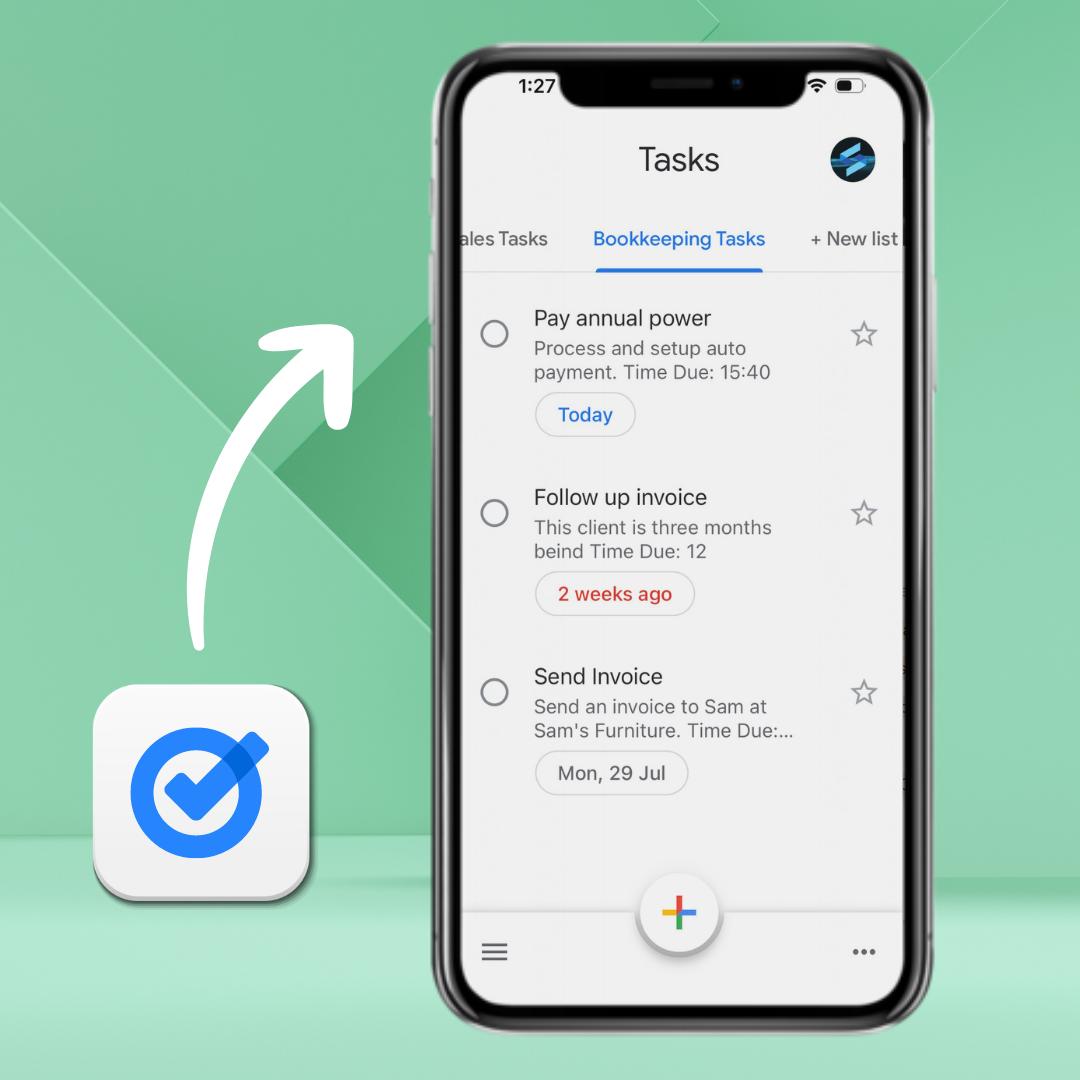
Google Tasks App Integration!
Sheetify Bookkeeping integrates directly with the Google Tasks app, meaning you can manage your bookkeeping tasks and recurring financial reminders inside Sheetify Bookkeeping and in the Google Tasks mobile or desktop app. Never miss a bill payment, tax deadline, or follow-up again.
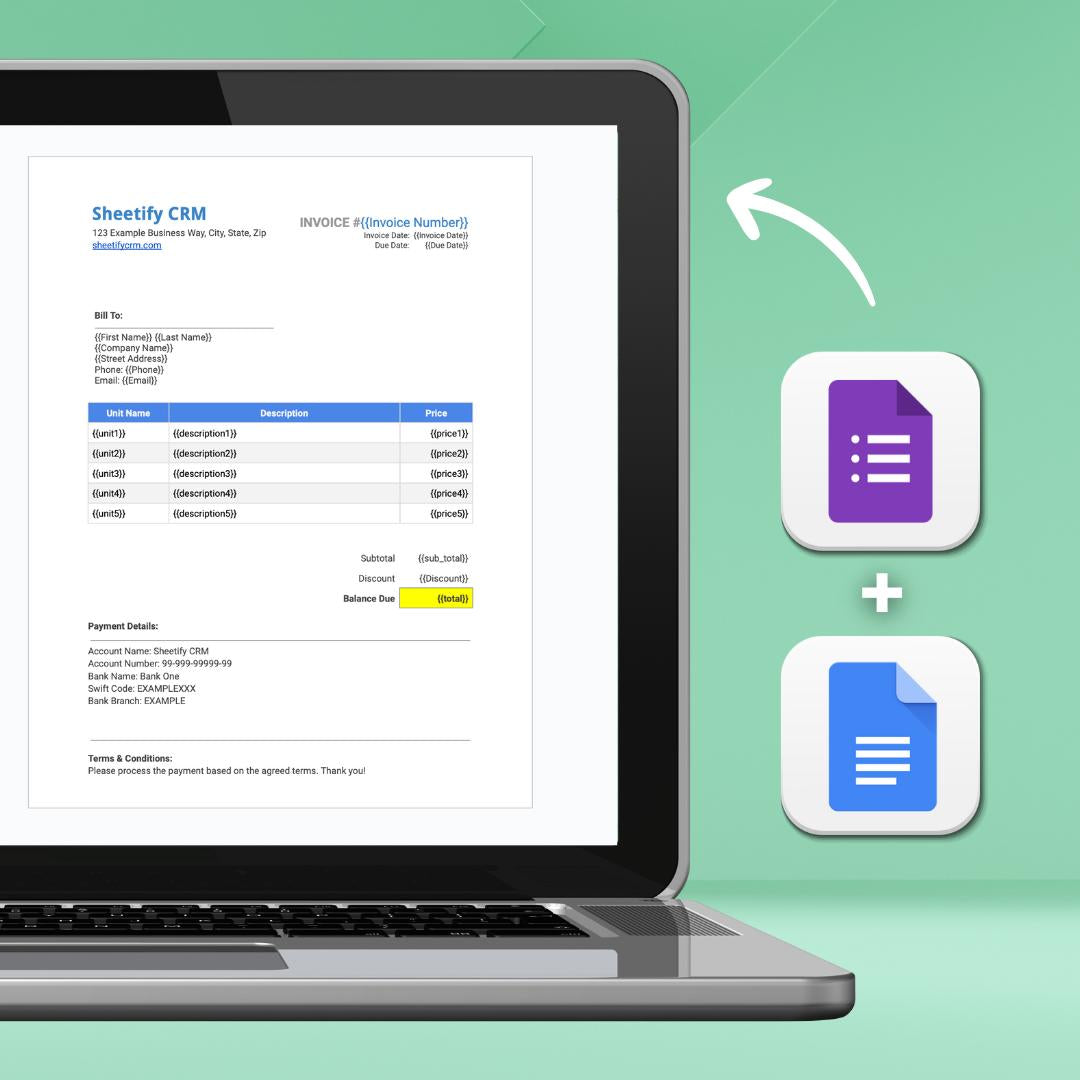
Built-In Invoice and Quote Generator
Sheetify Bookkeeping connects with Google Docs and Google Forms to give you a professional invoicing system built directly into your bookkeeping template. Generate and send quotes or invoices to clients in just a few clicks, with each document saved automatically as a PDF and delivered straight to your customer's inbox. No separate invoicing tool needed.
-
One Payment. Lifetime access. No Subscriptions, Ever.
Most accounting software treats your finances as a reason to charge you more every month. Sheetify Bookkeeping works differently. You pay once and own it outright, with every feature unlocked and every future update included from day one. No recurring fees, no price increases, no costs that compound as your business grows. The same one-time pricing applies across the full Sheetify suite. If you also need to manage projects and team tasks, our Google Sheets project management template handles Gantt charts, Kanban boards, and team collaboration without a monthly bill.
-
🟢 Feature Packed Google Sheets Bookkeeping
Our most affordable functional bookkeeping template for small and micro businesses. Access all reporting, dashboards, and accounting tools in one place. Built for free and paid Google users.
-
🟢 No Subscriptions or Fees
Most bookkeeping and accounting platforms lock you into expensive monthly subscription plans. Sheetify Bookkeeping is a one-time payment that gives you access to all features with lifetime updates.
-
🟢 Lifetime Access
You get access to lifetimeSheetify Bookkeeping updates. Migrating your data from your existing template to a more recent version is straightforward and takes just a few minutes.
-
🟢 Easy-to-use
Built on Google Sheets, a tool that many small business owners already know and use every day. Sheetify Bookkeeping is straightforward for anyone to use, even if you have never used Google Sheets before. Watch our tutorial to get up and running in minutes.
Sheetify Bookkeeping is designed to be set up fast. There is no accounting software to install, no data migration, and no complicated onboarding process. Just three simple steps, and you are ready to start managing your business finances.
Up and Running in Under 10 Minutes
Step 1: Copy the Template
Purchase and then copy the Google Sheets bookkeeping template directly to your own Google Drive to make it yours.
Inside the template click File > Create a copy > Choose a folder in your Drive > Copy > Authorize.
Step 2: Authorize Sheetify Bookkeeping
Click on 'Sheetify' then 'Set UpSheetify' and 'Set authorization', a simple 3-click process that connectsSheetifyBookkeeping to your Google account.
Step 3: Personalize Your Account
Click on the 'Setup' sheet and add your business details, configure yourincomeand expense categories, and you are ready to go.
See Sheetify Bookkeeping in Full
Not sure how it all fits together? Our full tutorial walks you through every feature, from setting up your income and expense sheets and generating your first invoice to reading your financial dashboards and automating your reports. Everything you need to get up and running, in one video.
Whether you are completely new to bookkeeping software or just want to see how Sheetify works before you buy, this is the best place to start. No accounting knowledge required. If you can use a spreadsheet, you can manage your finances with Sheetify Bookkeeping.
Take the Stress Out of Small Business Bookkeeping For Good
Share information about your brand with your customers. Describe a product, make announcements, or welcome customers to your store.
Learn About Our Built-in Invoice & Quote Generator
Frequently Asked Questions
How much does Sheetify Bookkeeping cost?
Currently only $57USD! This gives you lifetime updates to new versions with even more features.
We have three separate products:
- Sheetify CRM ($67)
- Sheetify Bookkeeping ($57)
- Sheetify Projects ($57)
Can Sheetify Bookkeeping be connected to Sheetify CRM?
Yes you can connect Sheetify CRM, Projects and Bookkeeping together!
We have a free Google Workspace add-on called Sheetify Flow. This allows you to connect all three of our templates together for automating the flow of data.
Learn more here:
https://youtu.be/xH-VrPlWl9g
Is it just a Google Sheets template?
It's more than just a Google Sheets template...
We have built an integrated Bookkeeping platform using Google Sheets that seamlessly integrates with your favorite Google Apps.
What type of business is Sheetify CRM suitable for?
Sheetify Bookkeeping is suitable for...
✅ Consultancies
✅ Tradesmen
✅ Small Agencies
✅ Sole Proprietor (Individuals)
✅ Home-based Businesses
✅ Marketers
✅ Service-based Businesses
✅ Ecommerce Businesses
✅ Real Estate Agents
✅ Contractors
✅ And many more!
This Google Sheets Bookkeeping template is built for Google users (free and paid).
What Google Apps does it work with?
Google App Integrations:
✅ Gmail Integration (Send reports)
✅ Google Forms (for generating invoices)
✅ Google Tasks (for Bookkeeping tasks)
✅ Google Docs (for Invoice templates)
Which languages is Sheetify CRM available in?
Sheetify Bookkeeping is built with Google Sheets meaning that you have access to all the languages that Google Sheets offer!
However, at the moment Sheetify Bookkeeping is only in English.
Read more about all the Google Sheets languages below.
- Learn more here.
Paula Jerome
I have struggled to find a bookkeeping product that would meet my small business needs, and was affordable. This product has fixed my problems! It is easy to use, and the tutorials are wonderful.
Anonymous
The complexity of QuickBooks and other softwares was keeping me from budgeting. Sheetify is a perfect tool with everything you need to keep all the finances in order without the extra cost and complexity.
Stephen Fralick
Just getting started with my small business and so happy i found Sheetify. It makes it so easy to document everything I will need at tax time. Hard to believe something so low cost has so much value.